
If you are using ANZ Business Internet Banking and do not see the Activate bank feeds link, you may not be set up on a business profile. Please call ANZ Internet Banking on 13 33 50, available 24/7.
If you are a ANZ Transactive customer, please reach out to your ANZ account manager to proceed with establishing a connection.
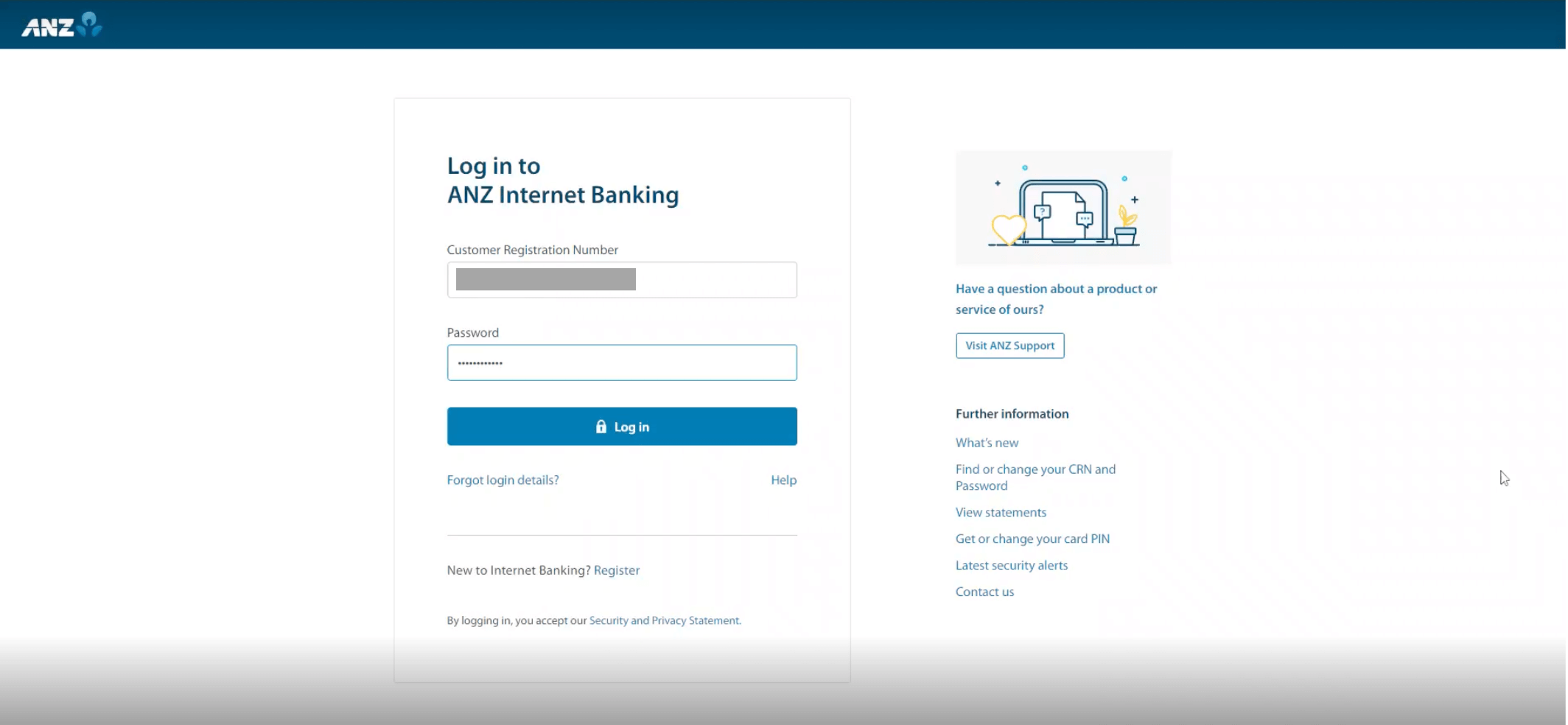
Sign in to ANZ Internet Banking.
Go to your Settings.

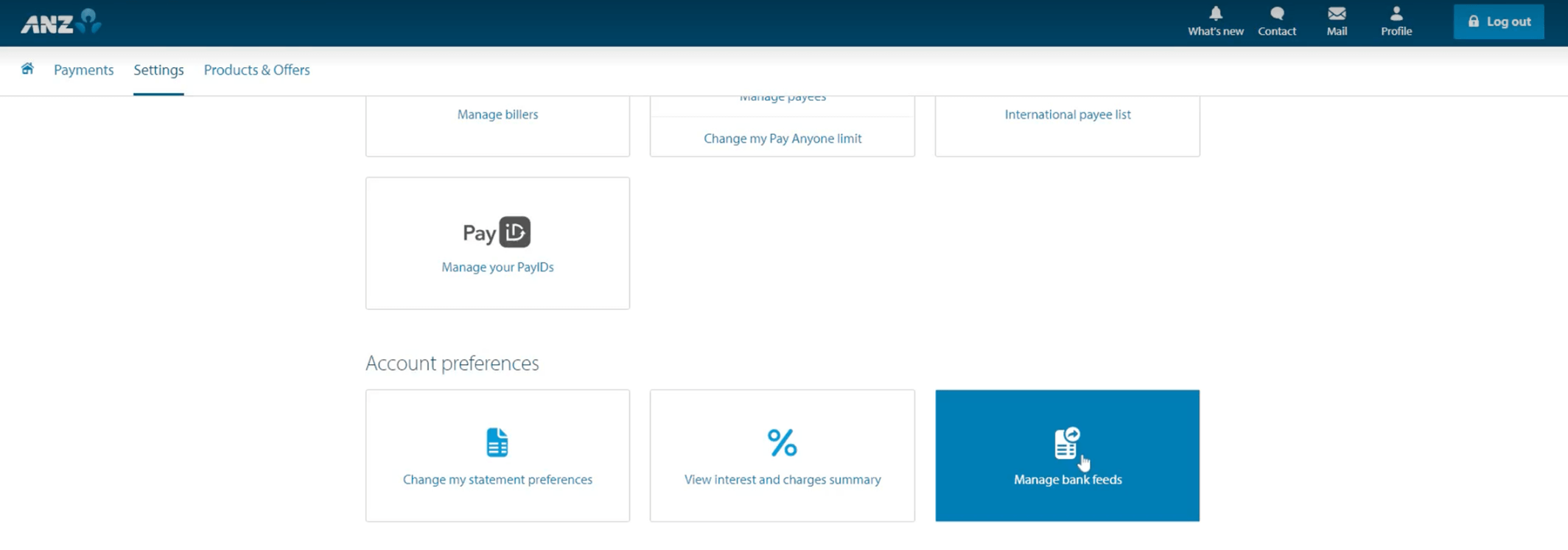
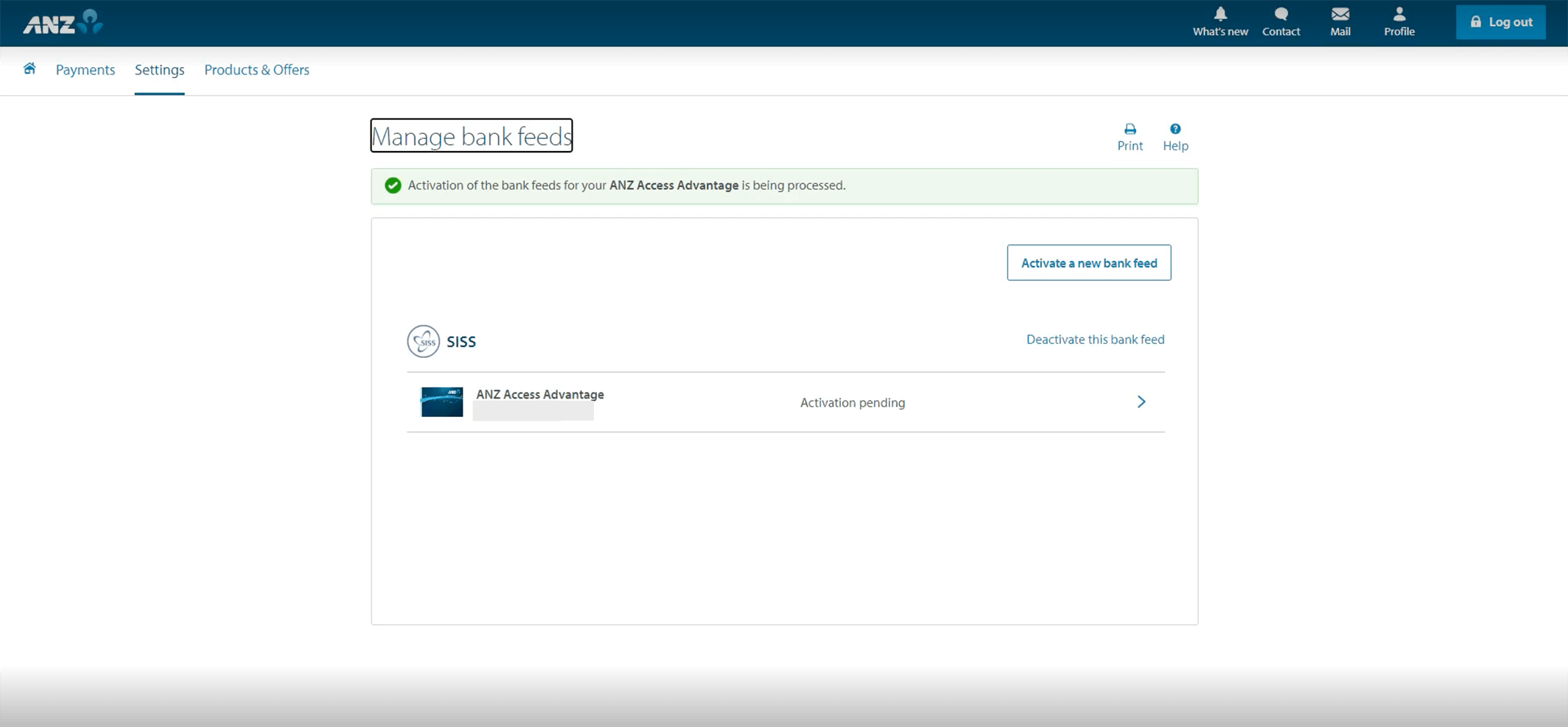
Click Activate a new bank feed.

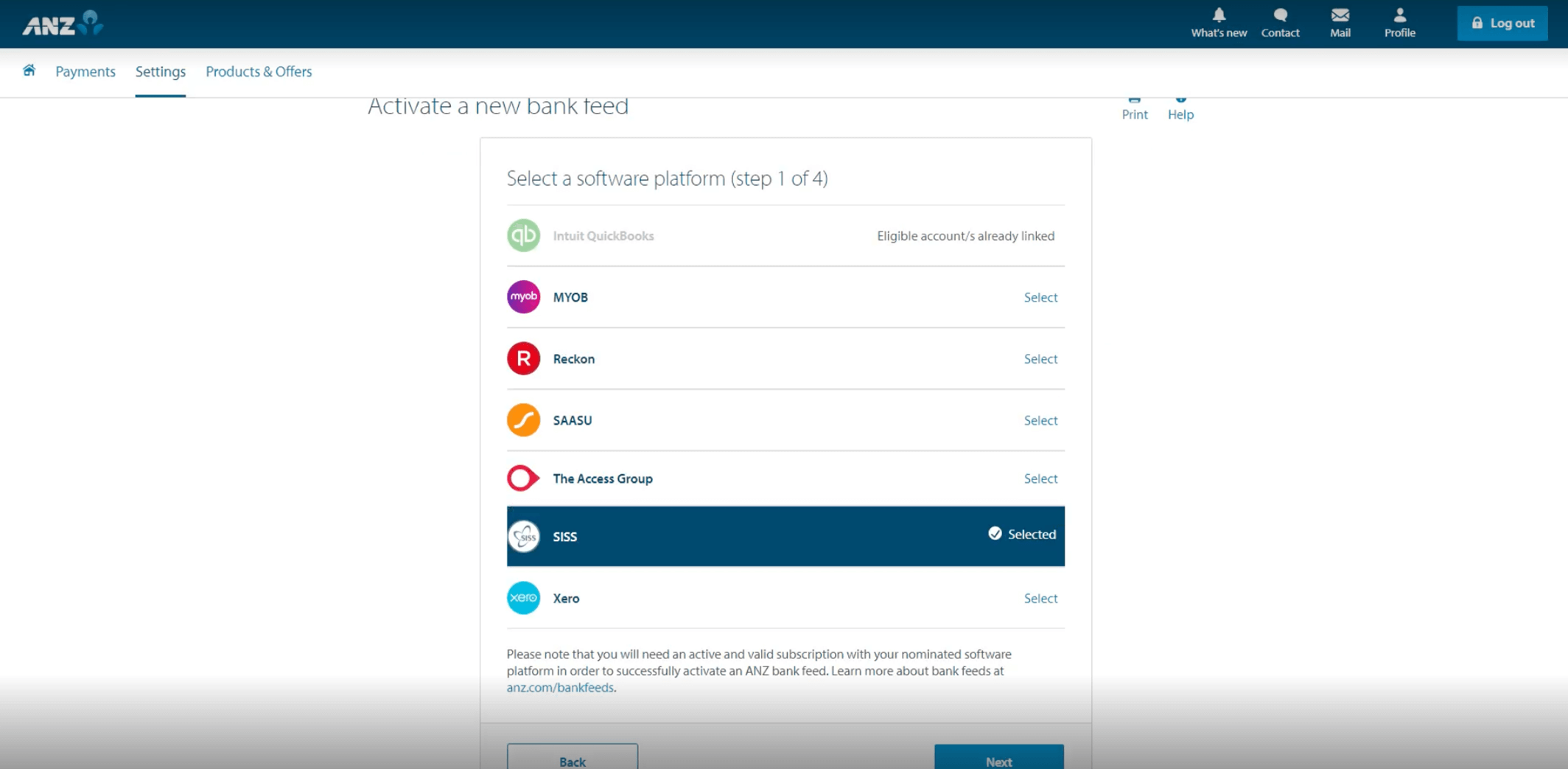
Select SISS from the options available, then click Next.
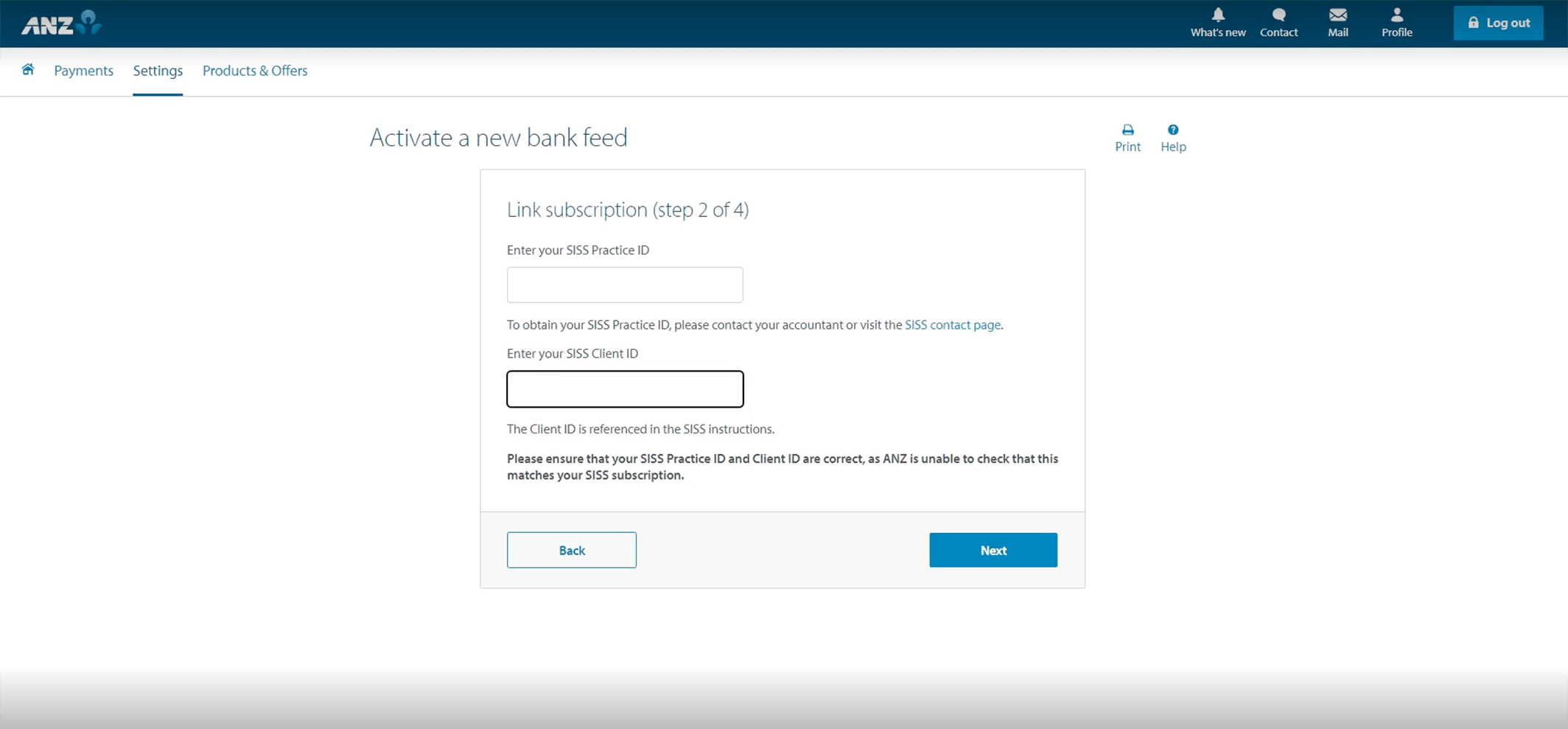
Enter the following Practice ID: SHIFT
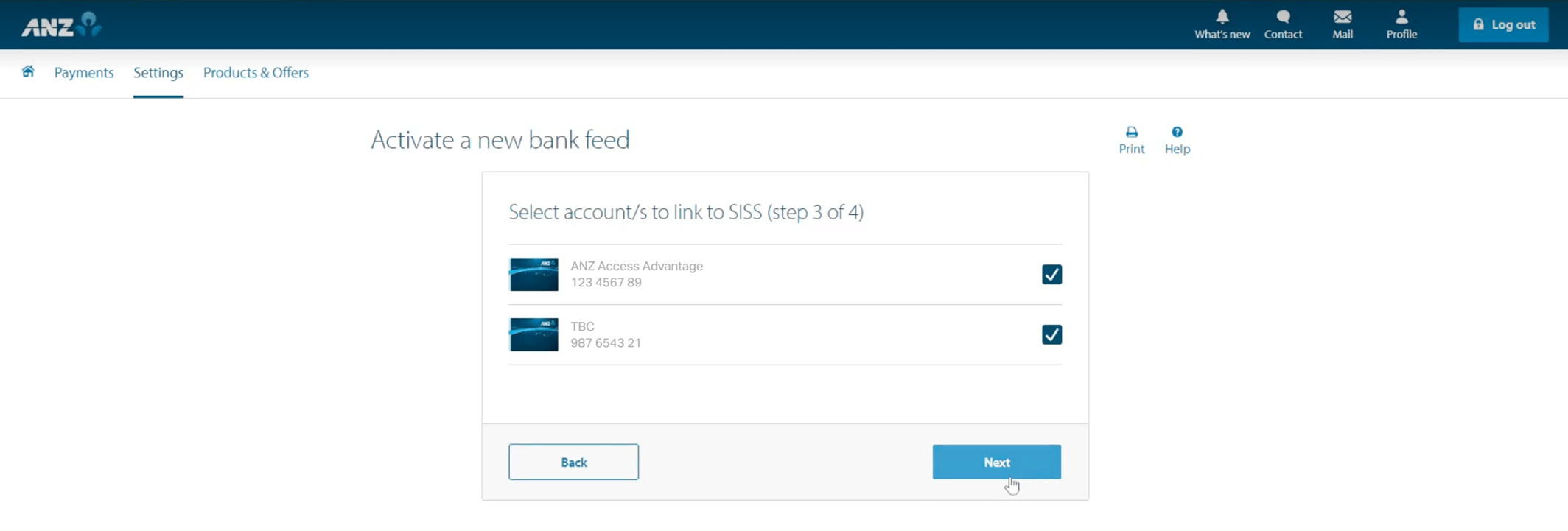
Select ALL required bank accounts listed in Shift Online, then click Next. Please contact us if you have additional bank accounts you wish to connect.
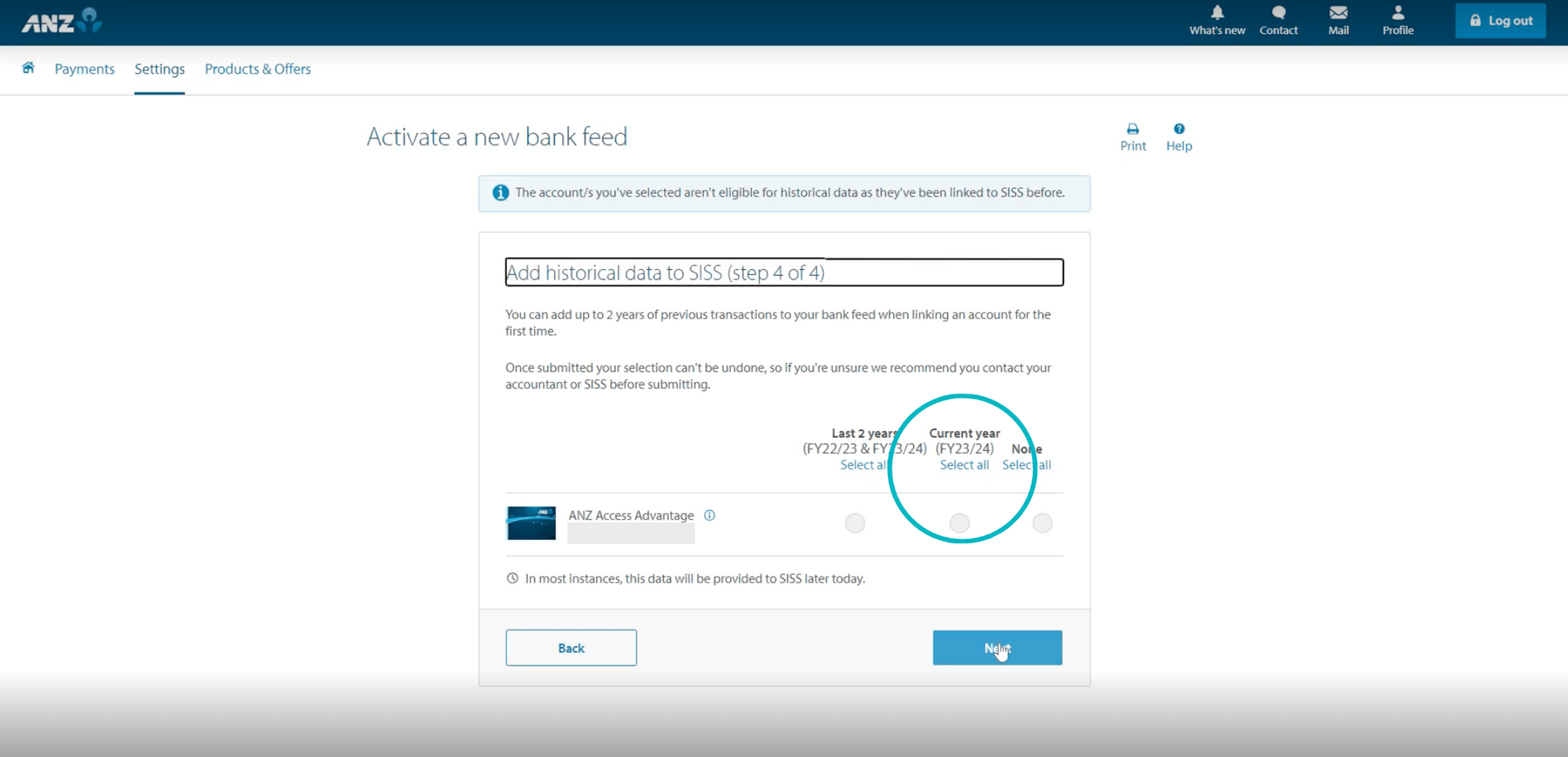
Select Current Year, then click Next.
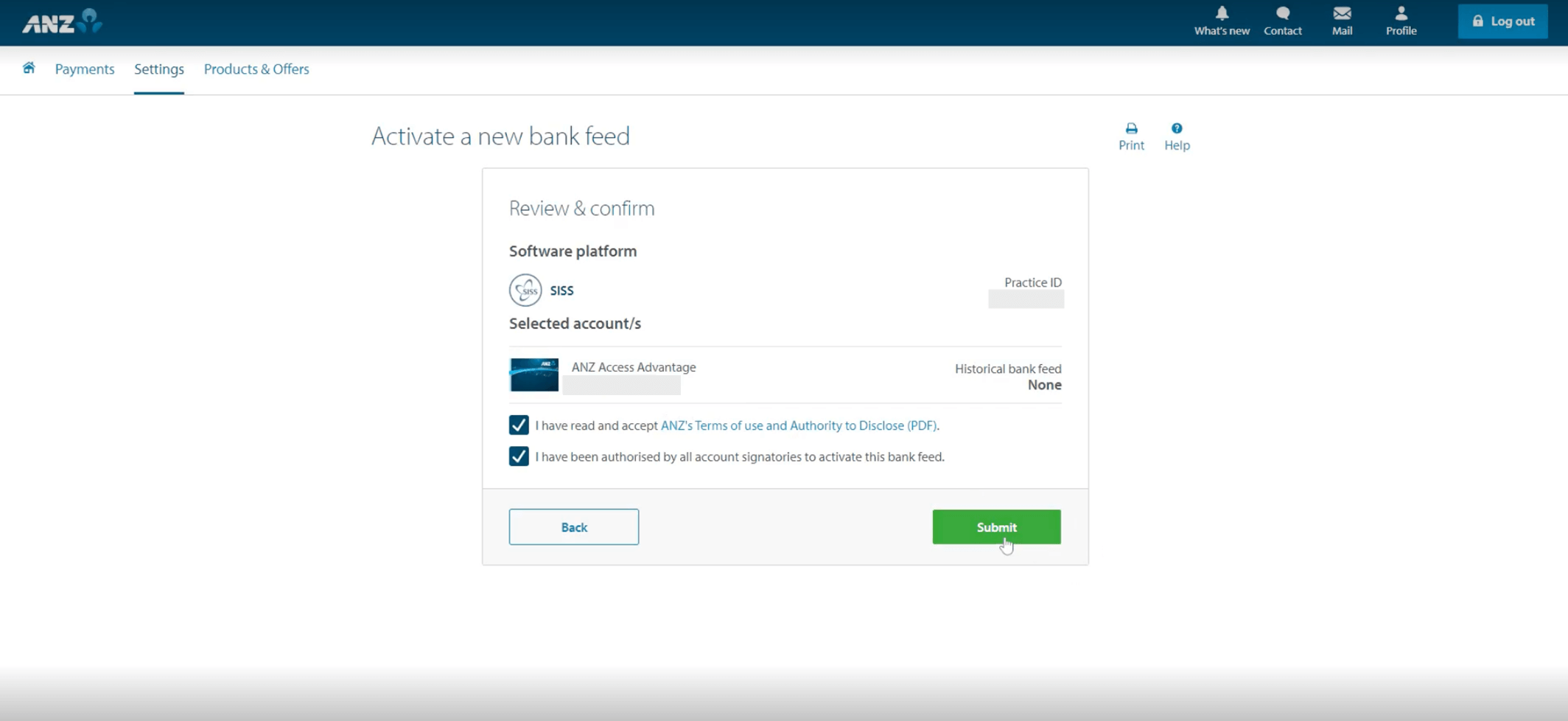
Review the Terms of Use and Authority to Disclose, then click Submit to agree.
Click Done to complete the process.
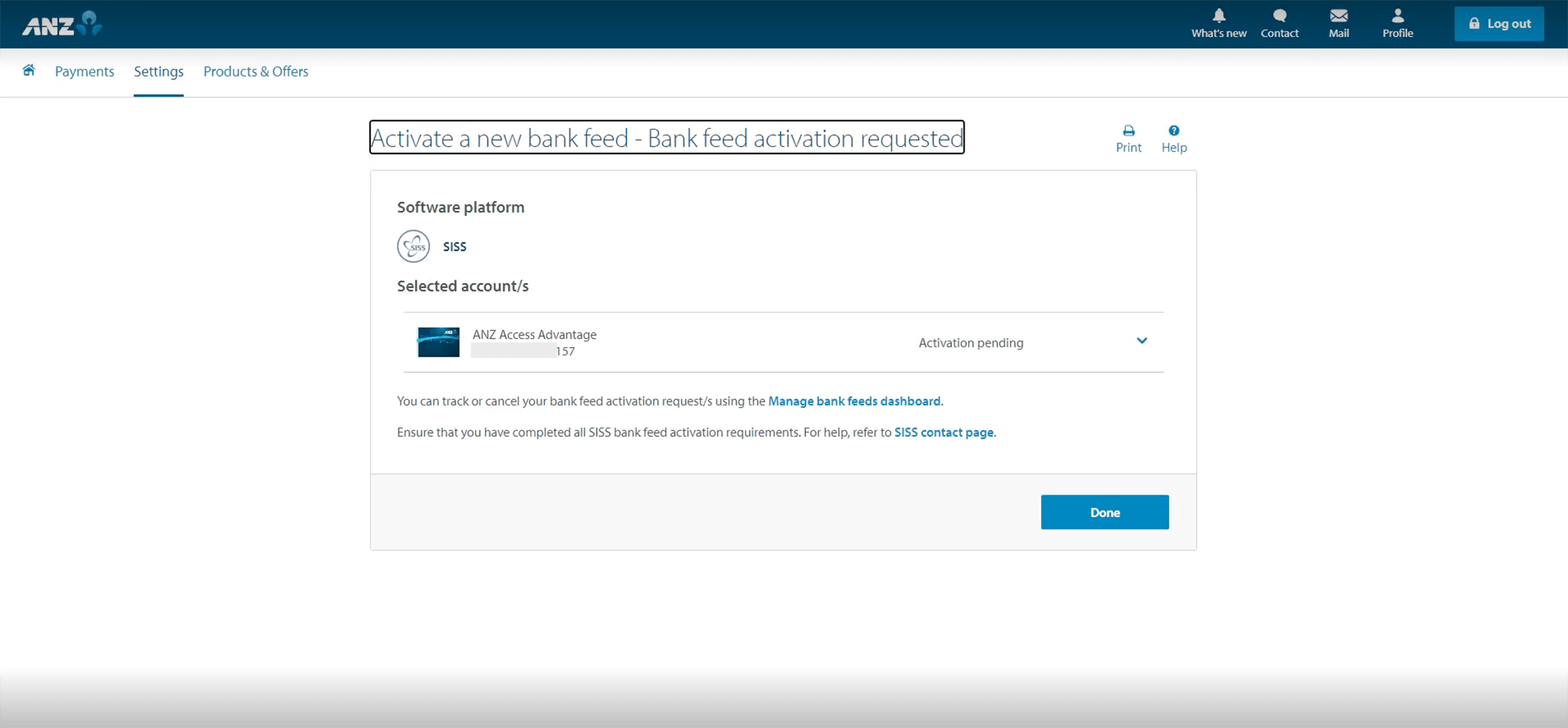
We will notify you once the feed has successfully been setup.
Need further assistance?
Our friendly team is here to assist you. If you have questions, please contact us on 1300 249 649 or email contact@shift.com.au.
If you wish to cancel a bank connection, please contact your banking provider.