
Before applying for a product, your customer needs to be onboarded with Shift first. This means they have completed their digital registration, including connecting their banking (where possible).
Your customer can register to use Shift’s products in two ways:
- You enter the customer details in Shift Connect, which then sends a registration request to your customer via email. (Preferred method)
- Your customer enters their own details and completes their registration from a link.

Before you start
- Have your customer’s ABN or registered business name ready
- Have current contact and identification details for the relevant directors, guarantors or beneficial owners where available
- Let your customer know they will receive an email or SMS from Shift and will need to complete the requested onboarding steps.
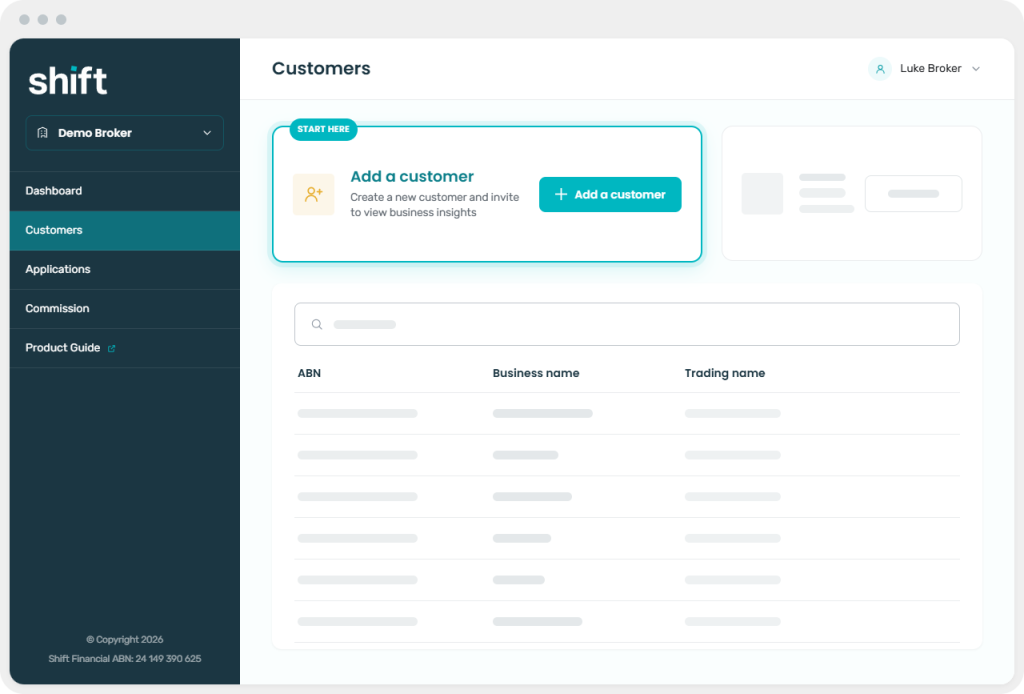
In Shift Connect, select Customers from the left-hand menu
Select ‘Add a customer’
Enter the customer’s ABN or business name, then select the correct business
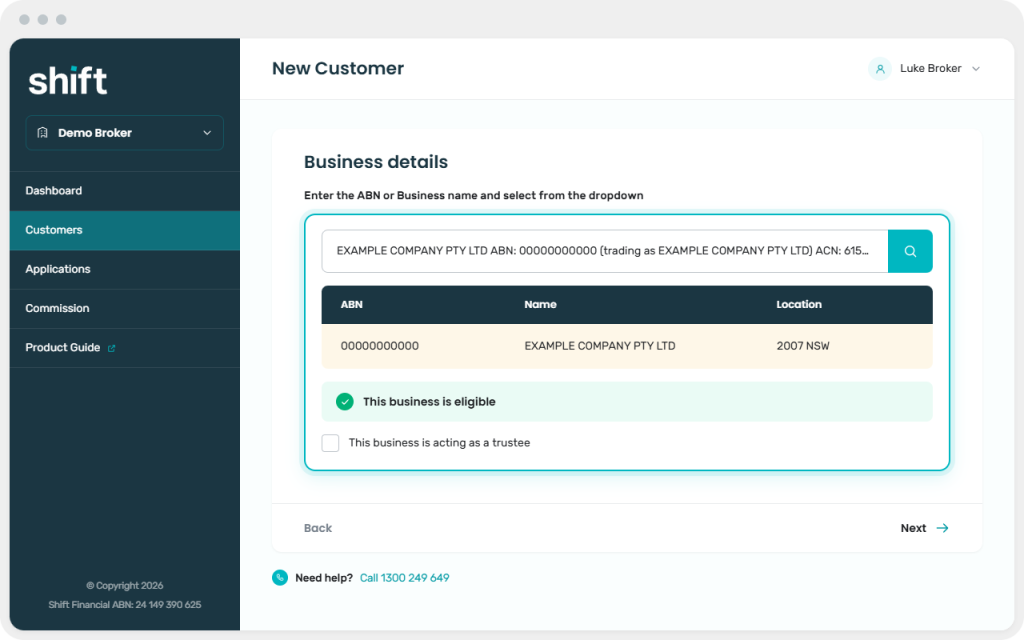
If the entity cannot be added digitally
Some complex trust or partnership structures may not be supported. Shift Connect will display a message when the entity cannot proceed.Select Next to view the people and roles associated with the business
Important
Check your customer’s details and roles shown are current and correct before continuing. Details from previous applications or an earlier customer record may appear, particularly if the customer’s circumstances or name have changed. If anything looks incorrect, contact the Shift Broker Team on 1300 249 649, option 1, or at partners@shift.com.au before proceeding.Add or confirm the contact and identification details required for the relevant people
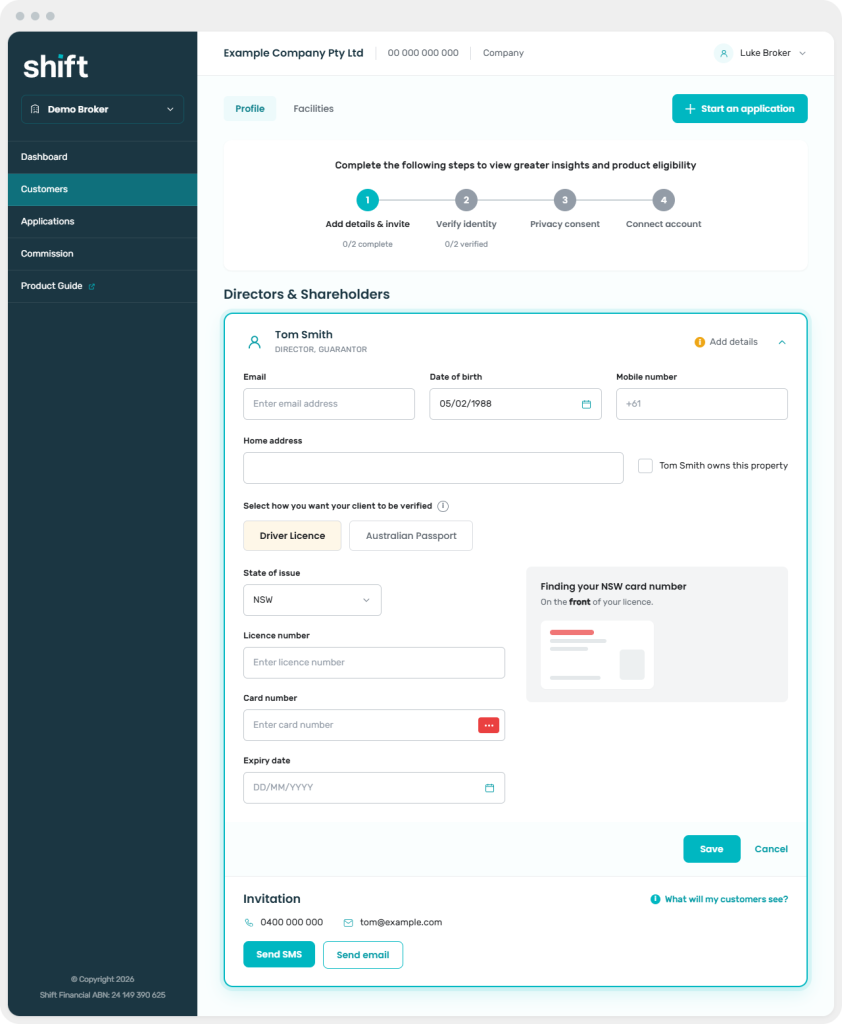
Important
When you enter an ABN, we then retrieve the company details and associated roles. Check the information carefully and add the contact or identification details needed to continue.Save the details, then choose the invitation method shown in Shift Connect
Next step: Finalise adding and onboarding your customer