
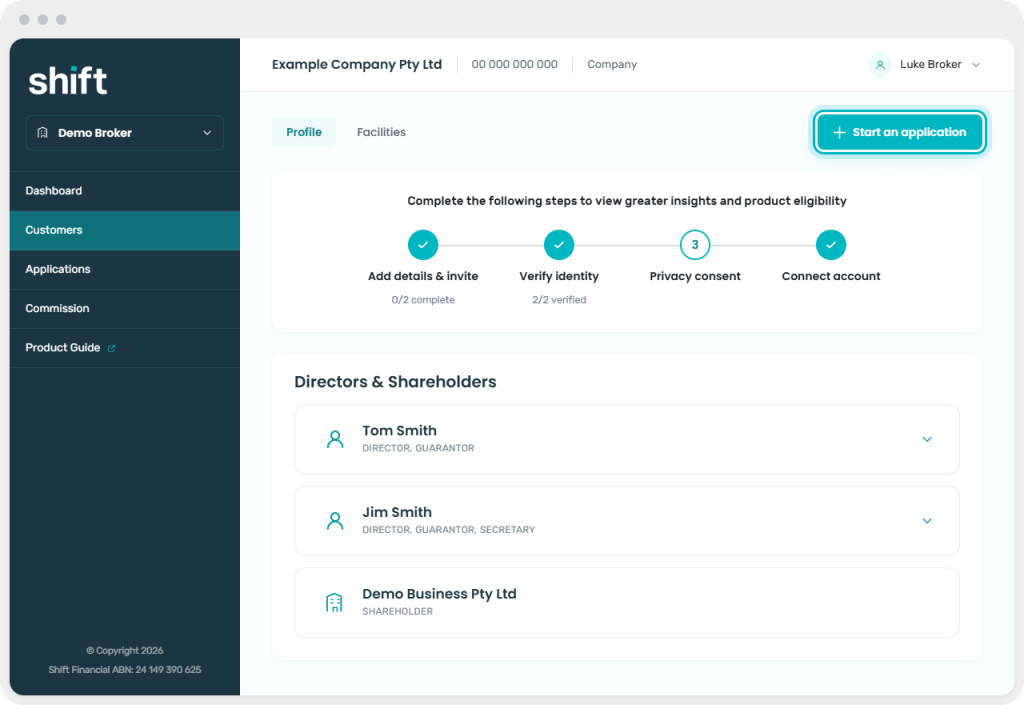
Start an application after the customer has completed onboarding. For an existing customer who is already registered, open their customer record and begin the application from there.
Select ‘Start application’ in your customer’s profile
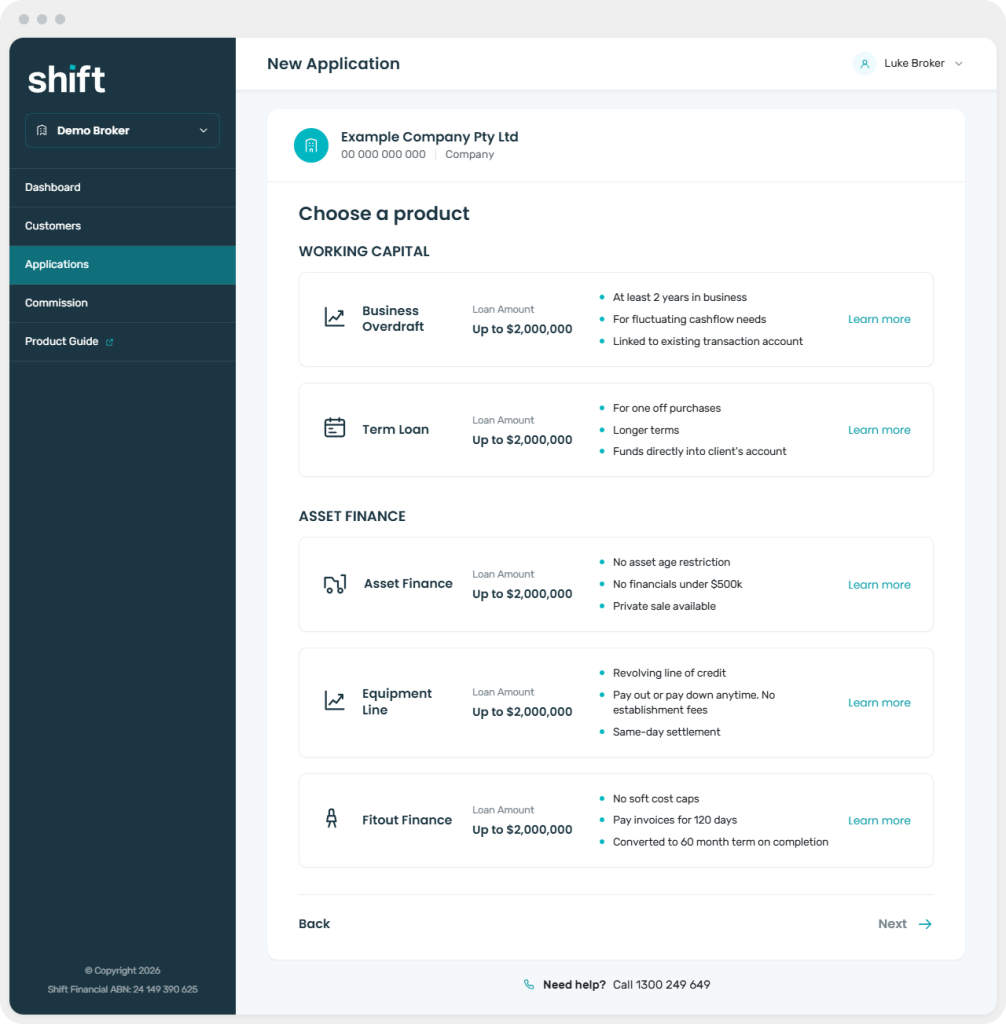
Choose the product your customer is applying for
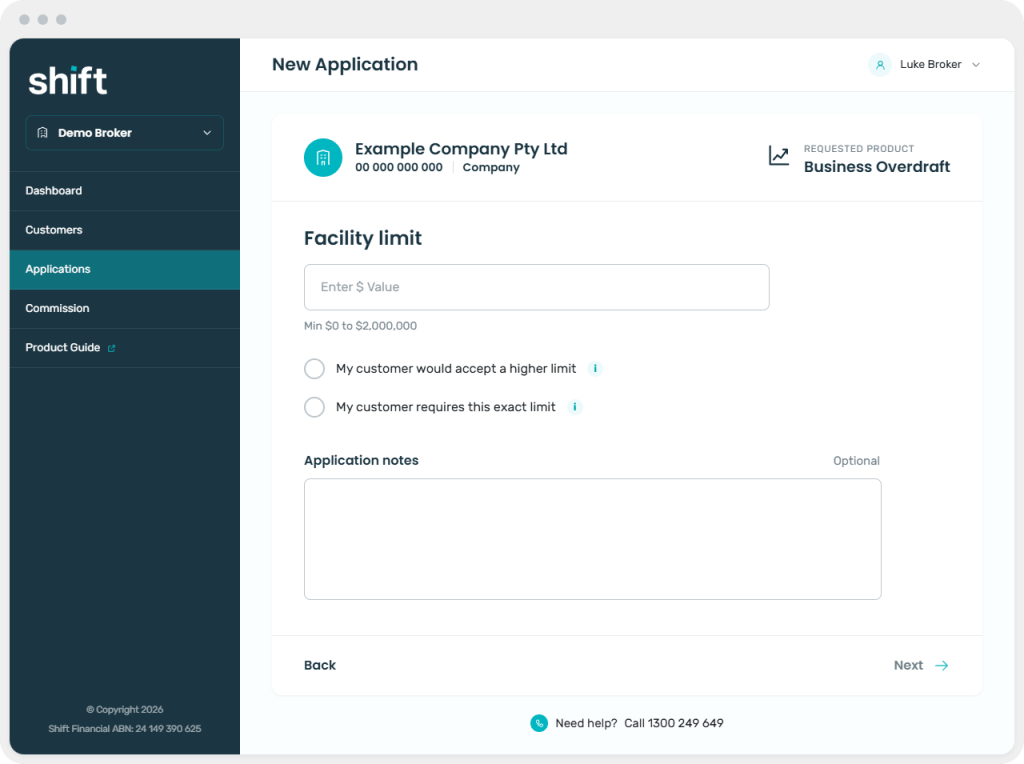
Enter the requested facility or finance amount and any other information shown
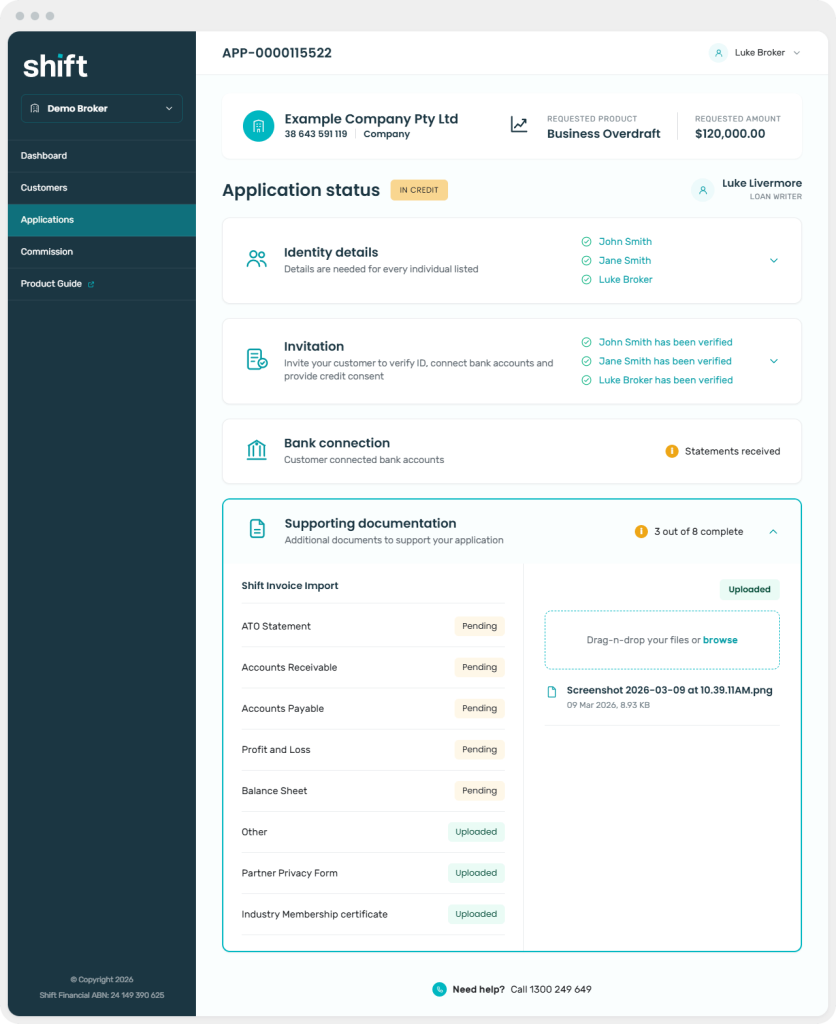
View application status, including any supporting documentation required
Next step: Send to signatories