
How autobilling works
If you purchase from a particular supplier regularly, you may want to enable autobilling. When autobilling is switched on for a supplier, Shift automatically pays their invoices without waiting for you to manually approve each time. You still receive an SMS confirmation for every transaction.
- Autobilling on: invoices from the supplier are automatically approved and paid when uploaded. Repayment is debited from your business bank account at a later date, according to the terms offered by your supplier.
- Autobilling off: each invoice requires your manual approval before Shift will pay your supplier. Repayment is still debited later, according to the terms offered by your supplier.
Turn autobilling on or off
You can turn autobilling on or off individually for each supplier.
Read more
Log in to your Trade Account.
From the top of your dashboard, click the Suppliers tab.
Find the supplier you want to update and use the toggle to turn Autobilling on or off.
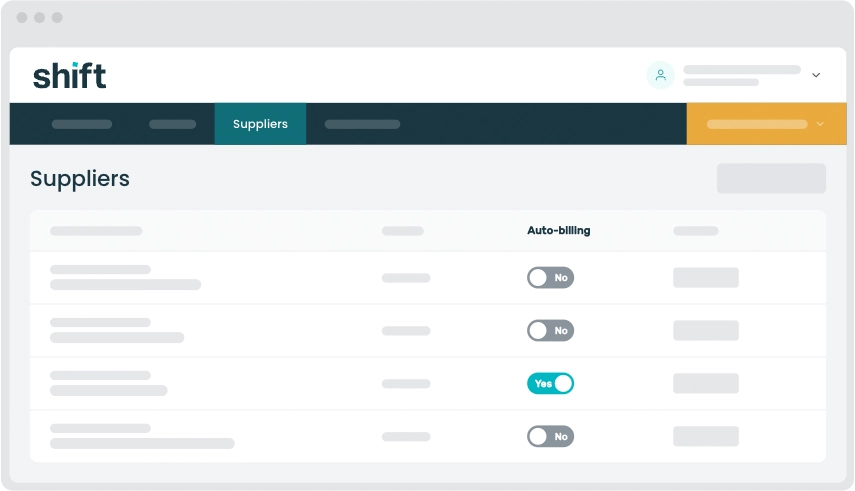
Note: Note: When you turn autobilling on, the next invoice from that supplier will still trigger an SMS, but you will not be asked to approve it in the platform. It will be automatically approved and paid according to your supplier’s terms.
Need assistance?
Our friendly team is here to assist you. Please contact us on 1300 249 649 from Monday to Friday (8:00am – 7:00pm AET) and Saturday (9:00am – 2:00pm AET) or email trade@shift.com.au.