
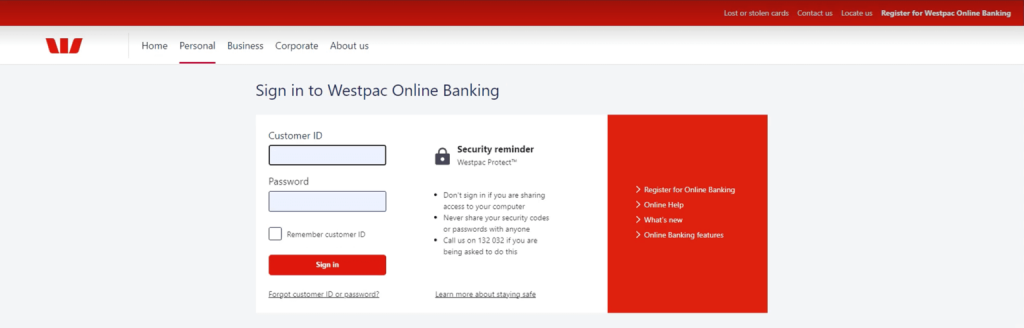
Sign in to Westpac Online Banking.
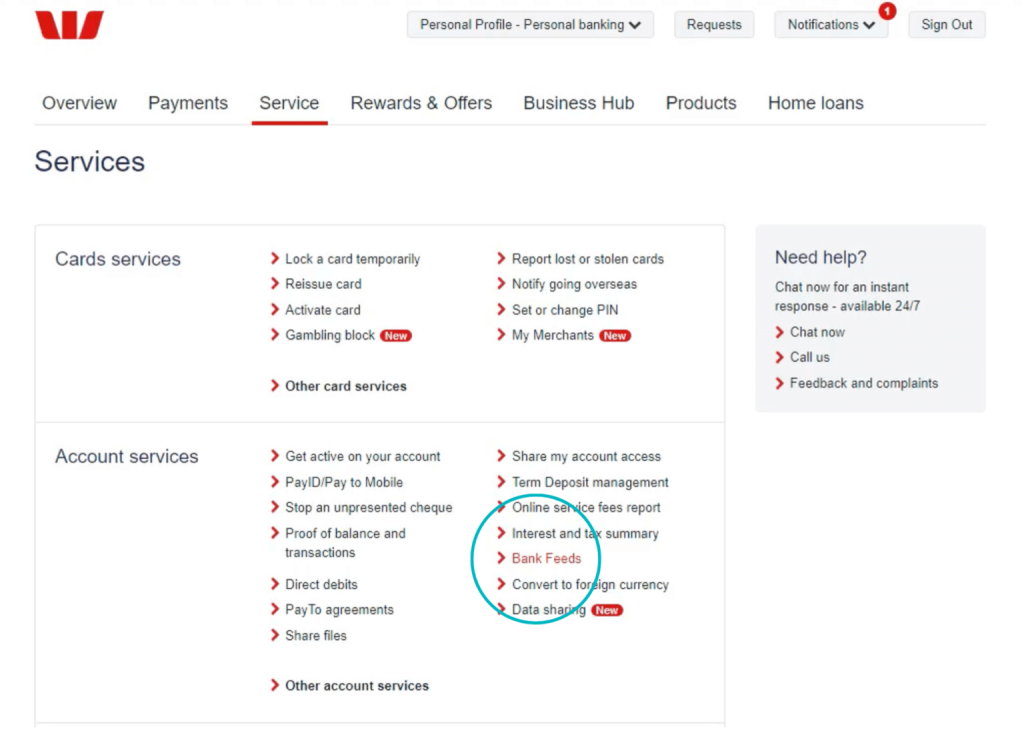
Select your profile from the drop down and navigate to Account Services by clicking Service > Services.

Go to Account Services > Bank Feeds.
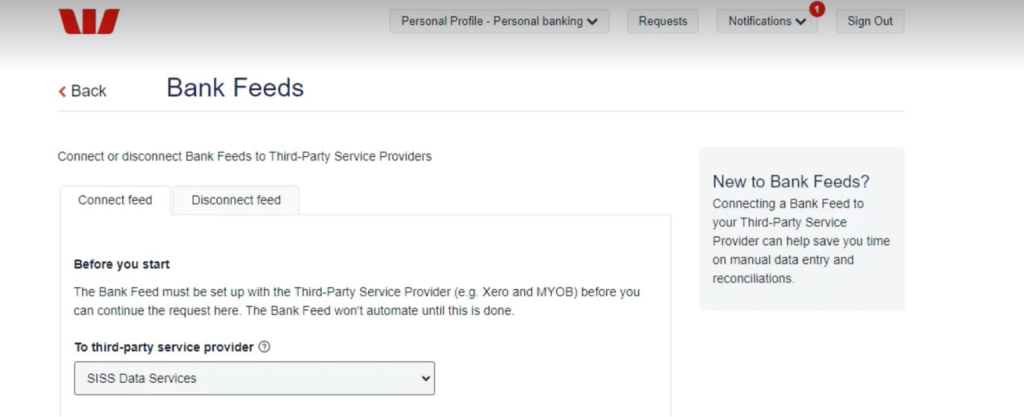
Select SISS Data Services from the drop down.
Enter the following Practice ID: SHIFT
Enter your email address.
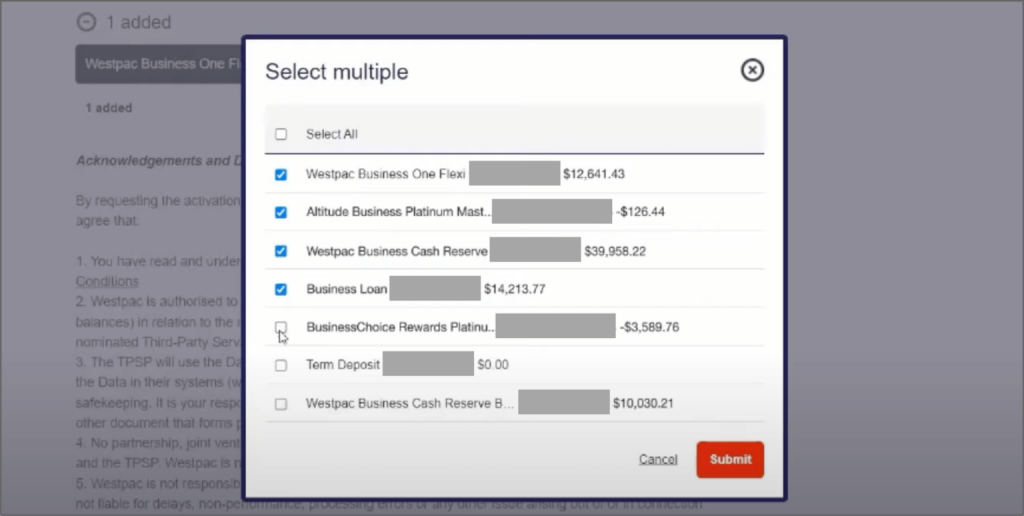
Click Select multiple to view a list of all your bank accounts.
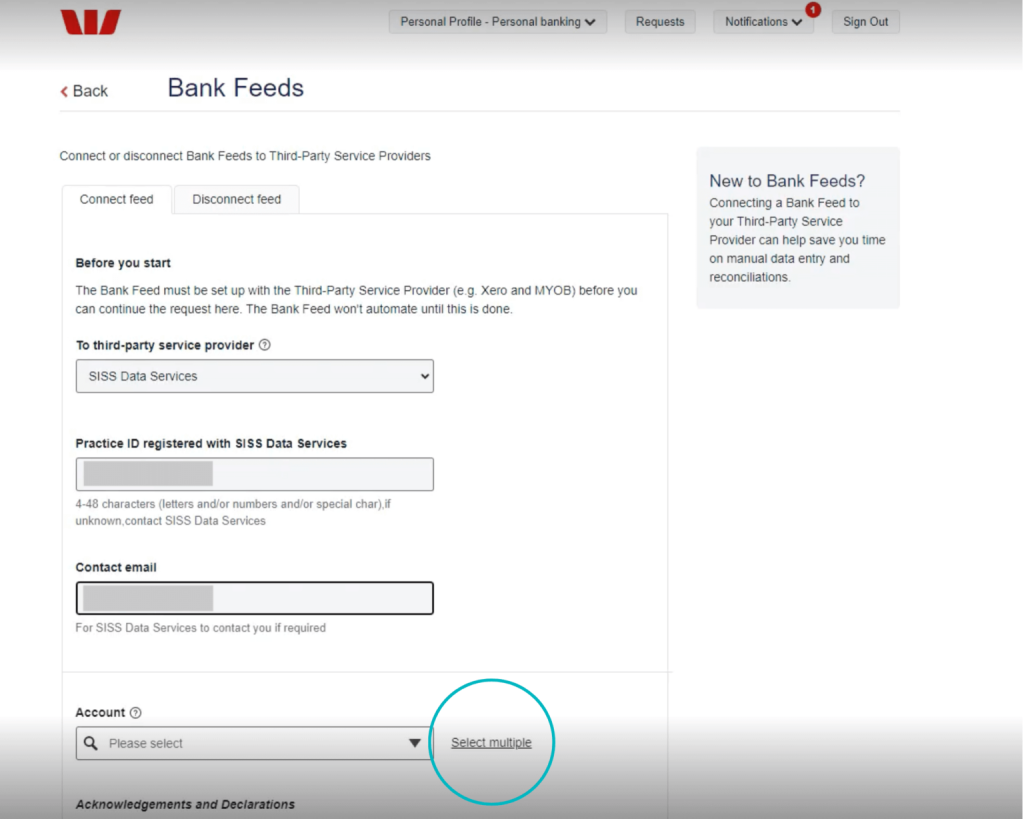
Select ALL required bank accounts listed in Shift Online, then click Submit. Please contact us if you have additional bank accounts you wish to connect.
Review the Acknowledgements and Declarations, then click Connect Feed to complete the process.
Connecting your Westpac account
Before you begin:
You will need to complete the following steps on the Westpac website via PC, laptop or tablet. This feature is not available in the Westpac banking app.
If you are a Westpac Corporate customer, please reach out to your Westpac account manager to proceed with establishing a connection.
How to establish a connection
Need assistance?
Our friendly team is here to assist you. If you have questions, please contact us on 1300 249 649 or email contact@shift.com.au.
If you wish to cancel a bank connection, please contact your banking provider.