Extend an existing invoice in Shift Trade and update your repayment option to better suit your cash flow.
You can extend repayment on an invoice regardless of whether your supplier originally set the payment terms for that invoice or you set your own payment terms.
Some invoices may not be eligible for extension, including invoices that were already set to the maximum 20‑week instalment option. Any additional transaction fee for new repayment terms will be clearly shown before you confirm.
Log in to your Trade Account.
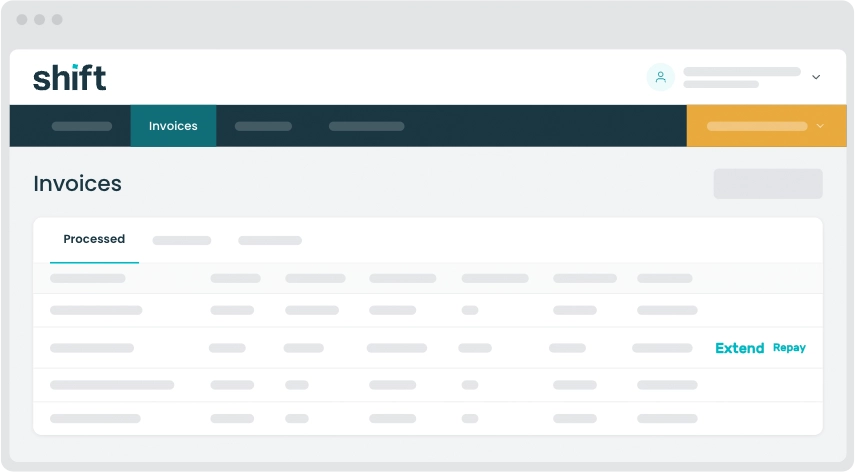
Click the Invoices tab at the top of your dashboard.
Find the invoice you’d like to extend, then click Extend next to it.
Choose the new repayment option you would like to apply to the invoice.
Review the transaction fee for your new repayment option, then click Extend to update your repayments.
Repay an invoice early to help manage your Trade Account balance and free up funds for your business cash flow.
Your supplier will have already been paid. This updates your repayment to Shift.
Log in to your Trade Account.
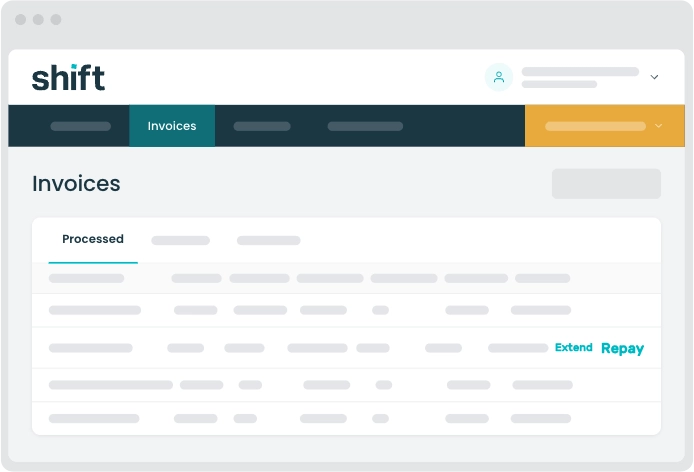
Click the Invoices tab at the top of your dashboard.
Find the invoice you’d like to repay early, then click Repay next to it.
Click Make repayment to confirm the repayment.
Note: Please allow 1–3 business days for the direct debit to be processed and for your balance to update.
Pay your full Trade Account balance at a time that suits your business. Paying your balance in full can help you manage your cash flow and free up funds to pay other invoices on terms that work for you.
Log in to your Trade Account.
From your dashboard, click Pay balance.
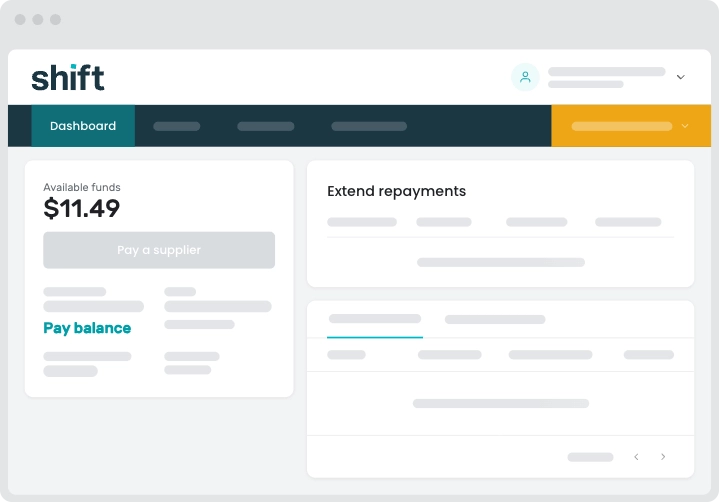
Review the payment amount, then click Pay balance to confirm the repayment.
Note: Please allow 1–3 business days for the repayment to be processed and for your Trade Account balance to update.
Need assistance?
Our friendly team is here to assist you. Please contact us on 1300 249 649 from Monday to Friday (8:00am - 7:00pm AET) and Saturday (9:00am - 2:00pm AET) or email trade@shift.com.au.