Download a detailed transaction report to view your repayment activity over a custom date range, including payments processed through Shift Trade.
Log in to your Trade Account.
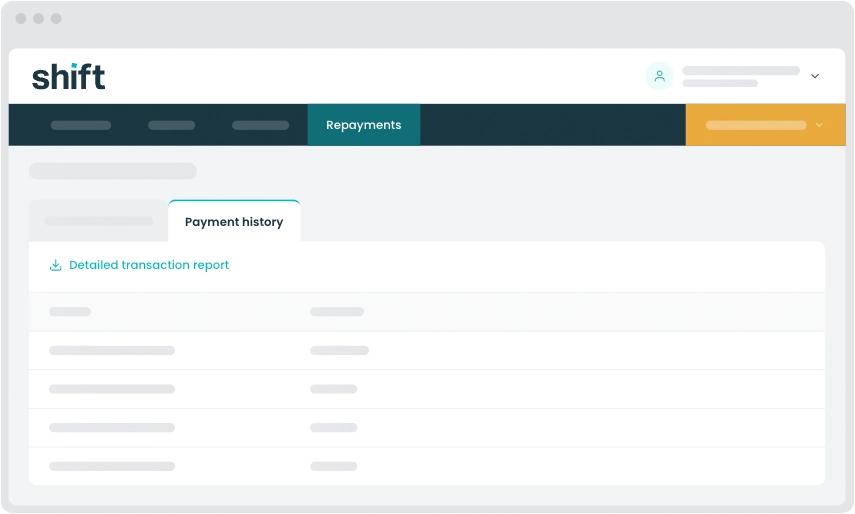
From the top of your dashboard, click the Repayments tab.
Select Payment history, then click Detailed transaction report. This will take you to Shift Online.
In Shift Online, select Statements from the left hand navigation menu. Make sure your Trade Account is selected and then click Custom transaction report.
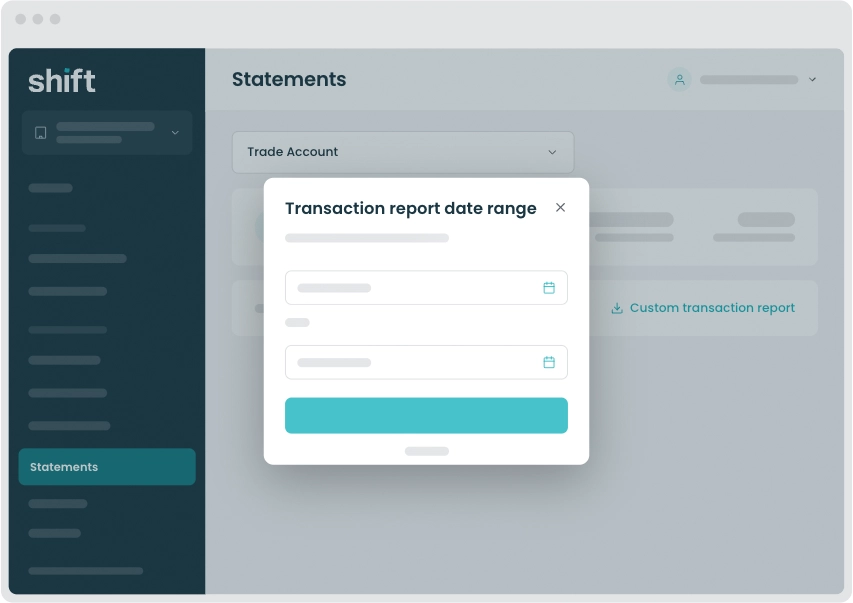
A CSV (Excel) file will download to your device. Open your downloads folder to access the transaction report.
Autobilling is available for suppliers that are already connected to your Trade Account and who upload invoices to request payment from you.
If you pay a supplier regularly, turning on autobilling lets Shift automatically approve and pay their invoices without needing your manual approval each time.
You’ll still receive an SMS confirmation for every transaction.
How autobilling works vs manual approval
Autobilling on:
Invoices from the supplier are automatically approved and paid when they’re uploaded. You won’t need to review or approve each invoice in the platform. Repayment is debited from your business bank account at a later date - according to the terms offered by that supplier.
Autobilling off:
Each invoice requires your manual approval in Shift Trade before payment to the supplier is processed.
Log in to your Trade Account.
From the top of your dashboard, click the Suppliers tab.
Find the supplier you want to change and use the toggle to turn Autobilling on or off.
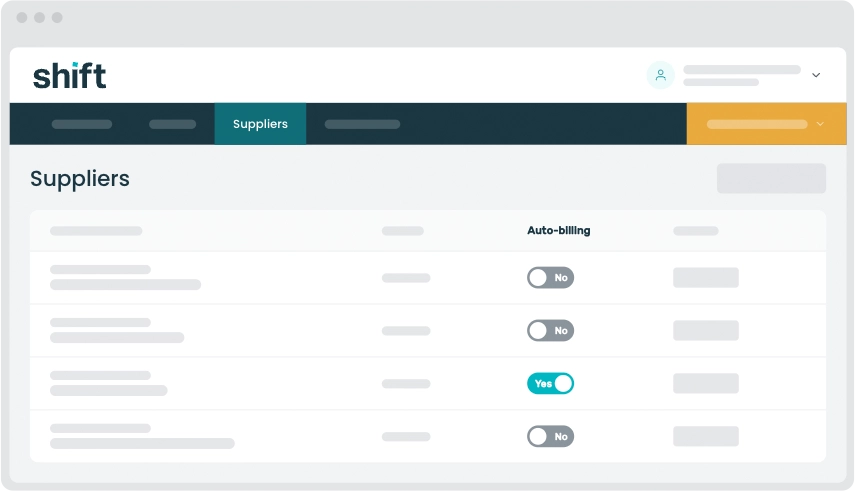
Note: When autobilling is turned on, the next time your supplier uploads an invoice you’ll still receive an SMS, but you won’t be asked to approve the invoice in the platform. The invoice will be automatically approved for payment and direct debited according to the terms offered by your supplier.
Need assistance?
Our friendly team is here to assist you. Please contact us on 1300 249 649 from Monday to Friday (8:00am - 7:00pm AET) and Saturday (9:00am - 2:00pm AET) or email trade@shift.com.au.